

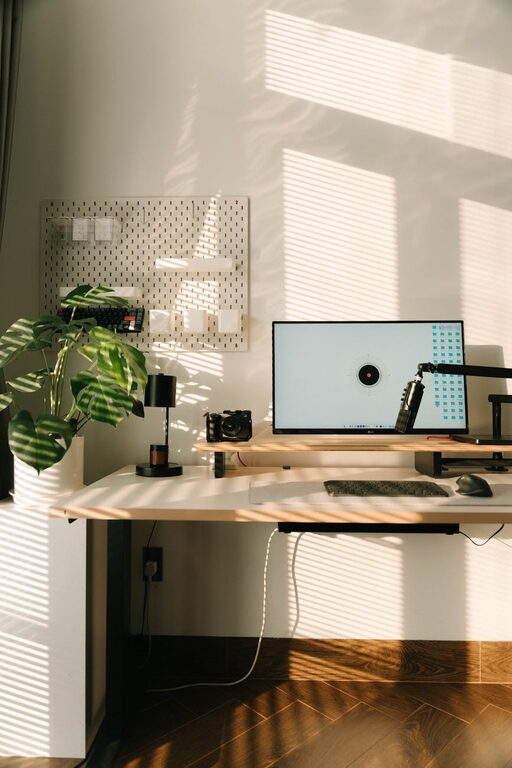
Creating a home workspace that is both cozy and functional can greatly enhance your productivity and overall well-being. Whether you work from home full-time or need a dedicated area for occasional tasks, having a space that feels comfortable and purposeful makes a big difference. Below are practical tips to help you design a workspace that suits your needs and style.
Choose the Right Location
The first step is selecting the ideal spot for your workspace. Consider these factors:
– Natural Light: Position your desk near a window if possible. Natural light helps reduce eye strain and boosts mood.
– Quiet Area: Pick a space away from high-traffic or noisy parts of your home to minimize distractions.
– Space and Layout: Ensure enough room for your desk, chair, and necessary equipment without feeling cramped.
Invest in Comfortable Furniture
Comfort is key to staying focused during long work hours.
– Ergonomic Chair: Choose a chair that supports good posture with adjustable features.
– Desk Size: Select a desk large enough to hold your computer, documents, and supplies without clutter.
– Standing Options: Consider a sit-stand desk or a desk converter for flexibility and better health.
Organize Efficiently
A well-organized workspace allows you to find what you need quickly and keeps your mind clear.
– Storage Solutions: Use shelves, drawers, or filing cabinets to keep papers and equipment tidy.
– Desk Accessories: Organize pens, notebooks, and gadgets with trays, holders, or small boxes.
– Digital Organization: Keep your desktop and digital files sorted for easy access.
Personalize Your Space
Adding personal touches makes your workspace inviting and inspiring.
– Colors and Decor: Use calming or motivating colors in your walls, furniture, or accessories.
– Plants: Indoor plants add life to the area and improve air quality.
– Artwork and Photos: Display images or art that encourage creativity and happiness.
Manage Lighting Thoughtfully
Good lighting reduces eye strain and enhances focus.
– Task Lighting: Use desk lamps with adjustable brightness for detailed work.
– Ambient Lighting: Ensure overhead lighting is soft but sufficient.
– Reduce Glare: Arrange screens to avoid glare from windows or lights.
Keep Technology Efficient
Technology is essential but should also support efficient work.
– Reliable Equipment: Invest in a good computer, monitor, keyboard, and mouse suited to your tasks.
– Cable Management: Use clips or sleeves to keep cords neat and prevent tangling.
– Wi-Fi and Power: Ensure strong internet connectivity and easy access to power outlets.
Create Boundaries and Routines
To maintain work-life balance, it helps to set clear boundaries.
– Defined Workspace: Keep work confined to your designated area to mentally separate work and home life.
– Work Schedule: Establish consistent work hours and breaks.
– End-of-Day Routine: Develop habits to transition out of work mode, such as tidying your desk or turning off notifications.
Maintain Cleanliness
A clean workspace fosters focus and reduces stress.
– Daily Tidying: Spend a few minutes each day clearing clutter.
– Deep Cleaning: Regularly dust and wipe surfaces, keyboards, and screens.
– Air Quality: Use air purifiers or open windows to keep air fresh.
Final Thoughts
Designing a home workspace that balances coziness and functionality is possible with a bit of planning and care. By choosing the right location, investing in quality furniture, organizing efficiently, personalizing the space, managing lighting and technology, and maintaining boundaries and cleanliness, you create an environment where productivity can thrive comfortably. Take the time to tailor your workspace to your preferences and work habits—your focus and comfort will thank you!